Azure B2C (now replaced by Entra External ID) allows you to authenticate users via a centralized identity provider, enabling single sign-on (SSO). This means that once a user logs into one application, they can access other connected applications without needing to log in again.
However, for security reasons, we don’t want every application to have unrestricted access to all backend services. Instead, we use bearer tokens issued by B2C that include fine-grained scopes. These scopes define which backend APIs each application is permitted to call.
This guide explains how to configure, enforce, and integrate these fine-grained scopes in your backend.
Central App Registration for Backend APIs
Create a single app registration for your backend APIs (e.g., Backend) in Azure AD B2C. This app registration will define all API scopes. Use a consistent naming convention to simplify scope management:
domain-apiname.readdomain-apiname.writedomain-apiname.full
Each scope maps to a permission level (read, write, full) for a specific API. Keep in mind that Azure B2C imposes a 40-character limit on scope names.
The “domain” represents the business or functional area of the API. It’s used to logically group related APIs and prevent naming collisions. But at the end of the day, it is up to you to use a naming convention that fits your project.
Examples:
inventory-productsapi.readfinance-invoicingapi.write
This helps in organizing your scopes, especially as your application landscape grows.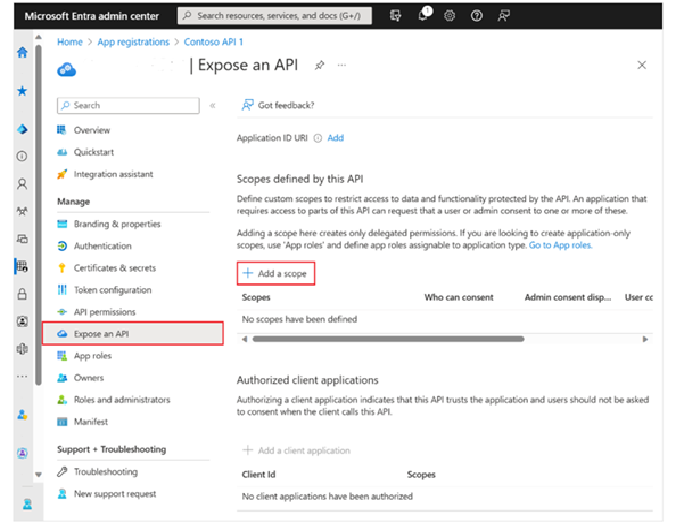
Granting Permissions to Clients
Other applications (e.g., frontend apps, partner integrations, internal tools) should have their own app registrations. These apps must request specific scopes from the backend’s app registration.
Example:
Imagine you have a records api in the domain of reports:
- A dashboard app may request:
reports-recordsapi.read - An admin app may request:
reports-recordsapi.full
This setup ensures each client only has access to the API operations it needs.
Scope Enforcement in Backend APIs
Each backend API enforces scope-based access using HTTP methods:
GET→.readPOST,PUT,PATCH→.writeDELETE→.full
Step 1: Attribute to Mark API Operations
Step 2: Define the Requirement
Step 3: Implement the Handler
Step 4: Scope Builder Utility
Step 5: Register Policy in Startup
Step 6: Use the Attribute in Your Controller
How It Works
- When a request hits a controller or method decorated with
[OperationLevelAuthorization], the system extracts the required permission. - If no permission is explicitly set, the handler infers it based on the HTTP method:
GET→ ReadPOST,PUT,PATCH→ WriteDELETE→ Full
- The handler then checks the scopes in the user’s token against what’s required.
- If a valid scope is found, access is granted. Otherwise, the request is rejected.
This approach allows you to implement flexible and secure fine-grained access control in your APIs, even as your application grows in scope and complexity.