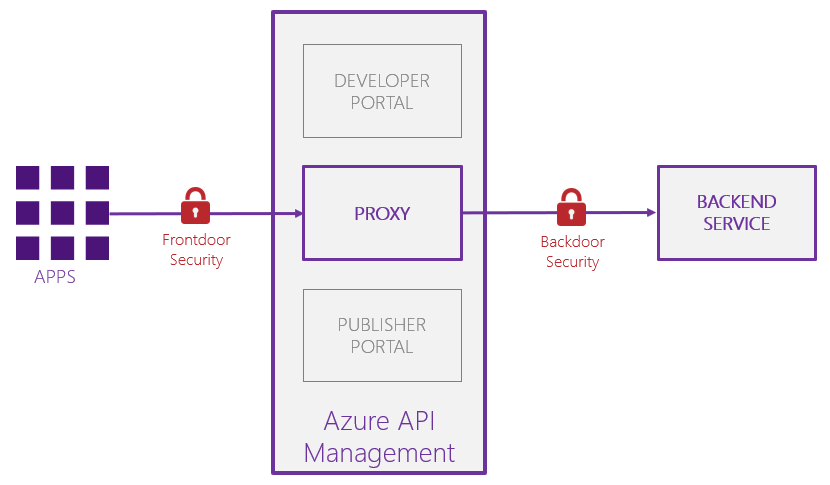
Managed Service Identity
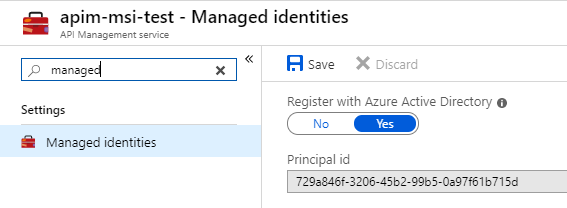
The magic is performed by Managed Service Identity (MSI), which is a feature of Azure Active Directory (AAD). Instead of creating an explicit service principal, you can enable MSI on your Azure API Management instance. This gives a unique AAD identity to your APIM instance. You can use this identity to access Azure services that support AAD authentication, such as Blob Storage, SQL Database, Azure Resource Manager, etc… The great thing is that you don’t need to store a client id & secret, as everything is managed by the Azure runtime itself.
The MSI authentication policy
You can establish a passwordless backdoor security, by using the – recently added – Authenticate with managed identity policy.
<authentication-managed-identity resource=”resource” output-token-variable-name=”token-variable” ignore-error=”true|false”/>
The documentation is quite clear on the usage of the policy. It’s important to understand that you should adapt the resource, depending on the service you need to authenticate to. Some common examples are:
- Azure Resource Manager: https://management.azure.com/
- Azure Key Vault: https://vault.azure.net
- Azure Service Bus: https://servicebus.azure.net/
- Azure Blob Storage: https://storage.azure.com/
- Azure SQL: https://database.windows.net/
In case you want to authenticate against a web API, you can also provide the App ID as the resource. This approach will be used in one of my follow up posts.
Under the hood, APIM is requesting an OAuth2 access token, using the client credentials flow. This access token (JWT) is added as a Bearer token inside the authorization HTTP header. Pretty similar to this complex policy that had to be used in the past.

Use cases
You can use this authentication policy for all backend services that support Azure AD authentication. A complete and up-to-date list of AAD-supported services can be found here. Some use cases that really benefited from this authentication policy are explained in more depth over here:
- Control your Azure Functions securely through Azure API Management (coming soon)
- Creating a serverless Azure Data Lake Gen2 connector
- Securely expose Azure Machine Learning web services (coming soon)
Conclusion
Very useful addition to our toolbox. I was surprised to see that there was not a lot of noise about this Managed Service Identity support. It’s really a hidden gem and extremely powerful. No more passwords to maintain, no more keys to rotate, no more certificates that might expire…
Happy learning!
Toon
Subscribe to our RSS feed