MCP Enabled Architecture
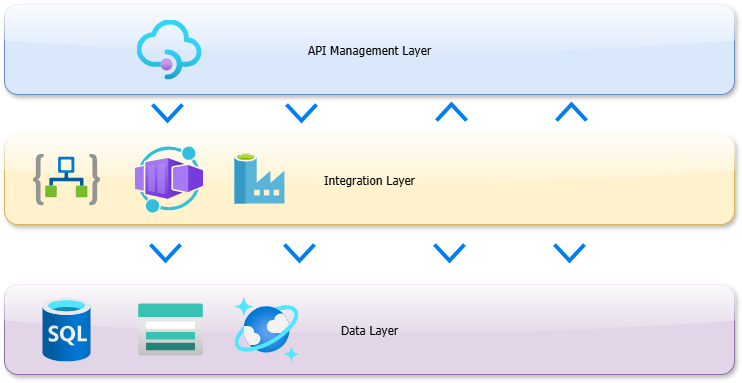
Let’s take a typical integration environment where we use Logic Apps to implement the publish-subscribe architecture, Data Factory for ETL processing, Docker containers hosted in Container Apps for our APIs to retrieve data and API Management for all incoming and outgoing traffic.
From a high level this architecture broadly consist of the following components (for clarity infrastructure components such as Service Bus, Application Insights, Key Vault, OMS, Event Hub, Event Grid are not shown):
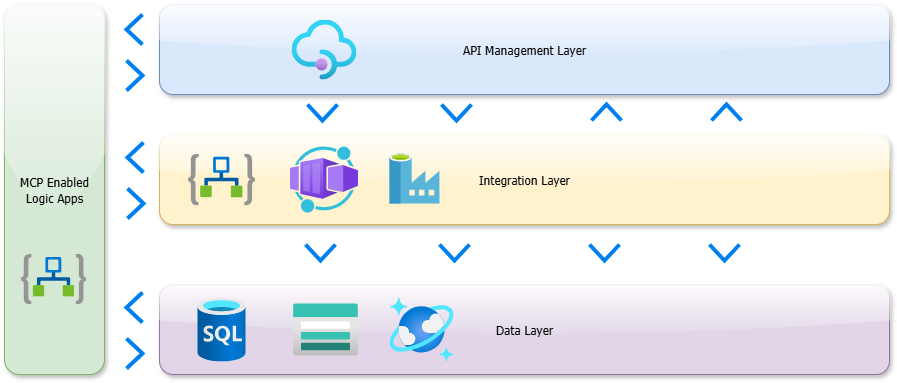
By adding a layer container MCP enabled Logic Apps that can interact with all available APIs, integrations and data we enable our existing architecture for the future of integrations using Model Context Protocol.
Example
We want to allow our AI agents access to article and stock information, this data is available in an Azure SQL database and we already have an existing API available that retrieves article information based on an EAN. This is an ideal business case for a MCP enabled Logic App as we can re-use the existing article API and use the SQL connector to retrieve extra stock information.
First, we need to setup an MCP enabled Logic App as described in the Microsoft documentation.
Our workflow is set up as follows:
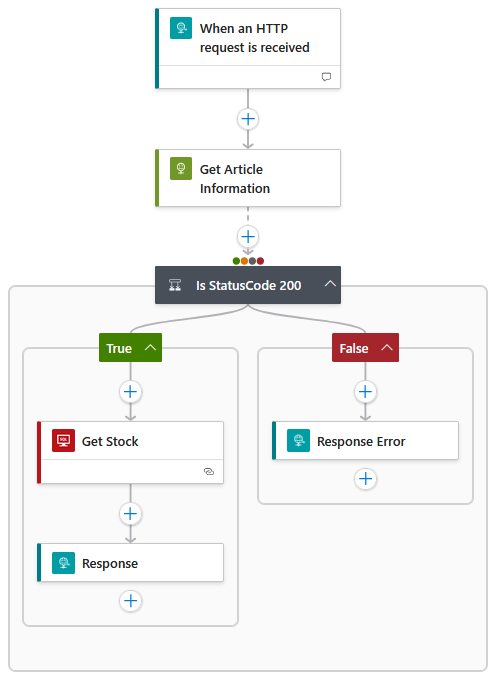
We will receive an HTTP request containing an EAN, retrieve the article information by calling our existing API and if article information is found we will retrieve the stock from the SQL database using an already existing Logic App Standard workflow and return the data to the client.
It is important to add a description to the trigger and to define the request body with descriptions, we have used the following:

The message flow will be as follows:

Now that our MCP enabled Logic App is developed we can call it by using Copilot and asking for information about an article:
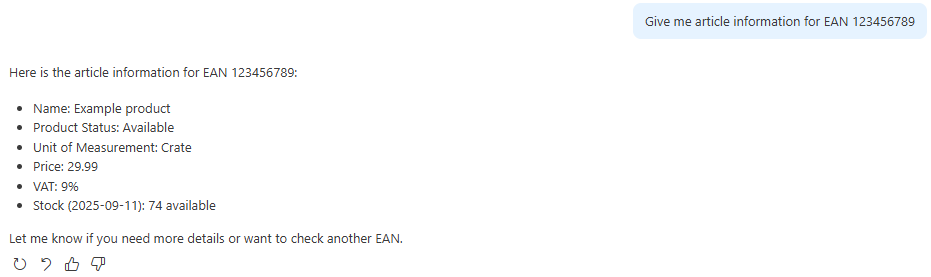
Success! Our MCP server works as expected and without any changes to our existing APIs and Logic Apps we are able to retrieve data for our AI processes.
This new functionality shows Microsoft’s innovation and dedication to integration and gives us a easy way to move our integrations into the AI enabled future!
Subscribe to our RSS feed