Claude desktop
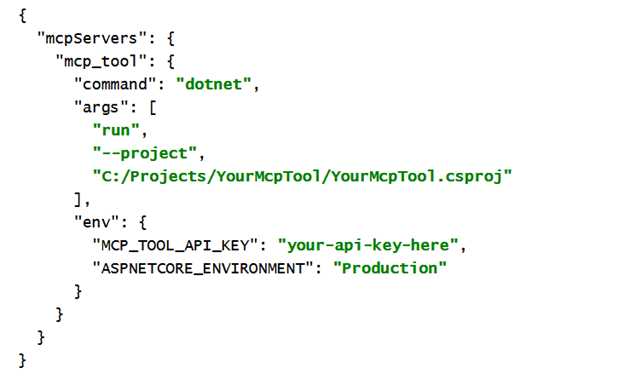
Open your Claude Desktop App configuration at ~/Library/Application Support/Claude/claude_desktop_config.json in a text editor.
NOTE
~/Library/Application Support/Claude/claude_desktop_config.json likely will not exist on your machine. You need to create it.
NOTE
~/Library/Application Support/Claude/config.json is a different, unrelated file. Do not edit it.
Add this configuration:
Github copilot
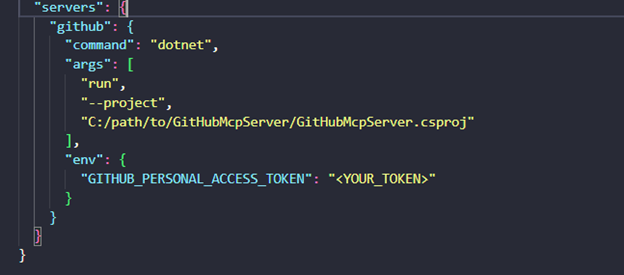
If you expose your MCP server as a Copilot plugin, Copilot functions as the client.
You set it up through an MCP configuration file (typically named mcp.json) that tells Copilot how to connect to your server.
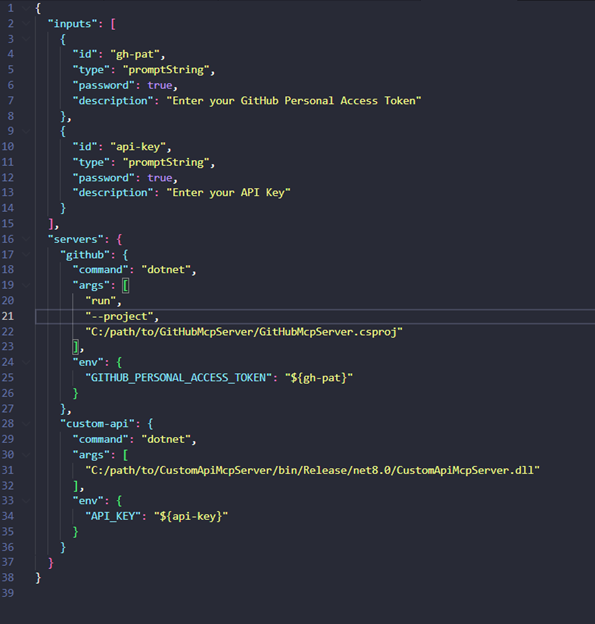
You could also use input parameters for your API keys in your mcp.json, like the example below:
Postman
Postman makes this very easy.
You just go to the Authorization tab of your request or collection and choose:
- Type: Bearer Token
- Token: paste your JWT
Authorization: Bearer <your_jwt_token_here>
You can also automate token retrieval in Postman if you’re using OAuth 2.0 by selecting Type: OAuth 2.0 and filling in your Authorization URL, Client ID, Client Secret, and Scope — then Postman fetches and injects the JWT for you.
Link to the repo
You can find the code (and contribute, fork, adapt) here:
https://github.com/LouisGheysensCodit/McpTimeTools
How I connected my MCP server to GitHub Copilot in Visual Studio Code
Once my server was running, Copilot of course needed to know it existed.
The fun part is: enabling an MCP server inside VS Code is surprisingly easy.
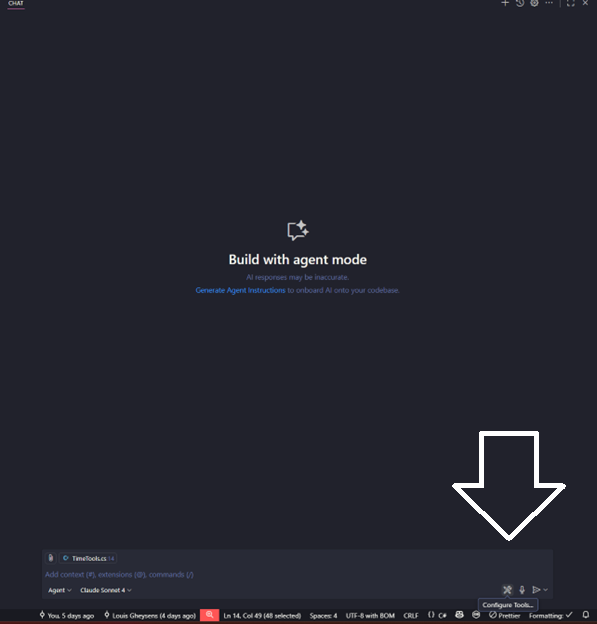
Here’s the flow:
- Set your github copilot to Agent mode
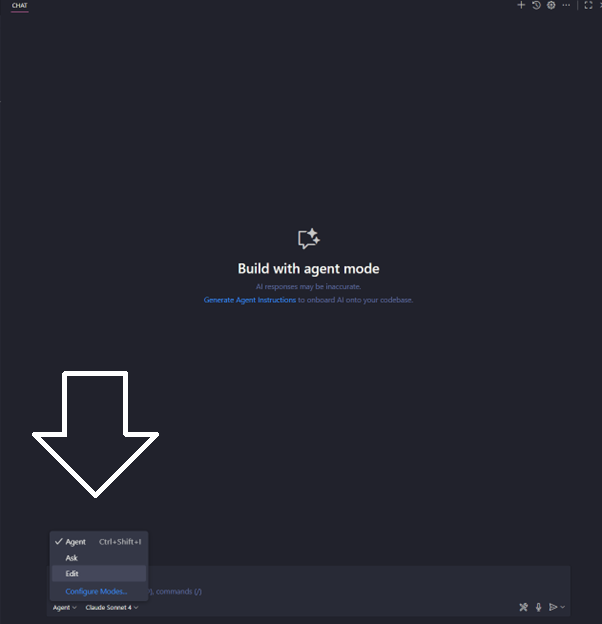
2. Click on tools ‘Configure Tools’
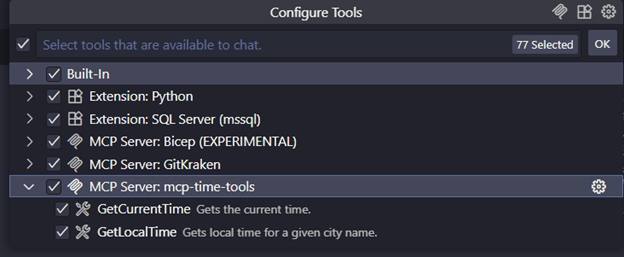
3. Make sure the checkboxes are checked next to your MCP server
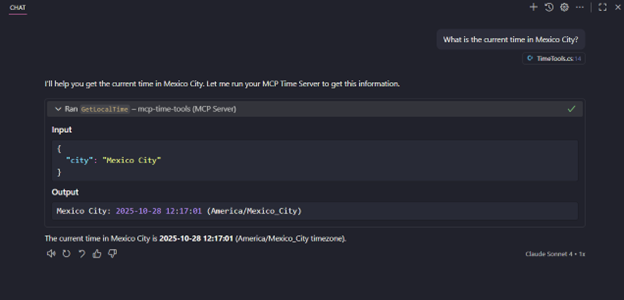
4. You can start using your MCP server. It will automatically discover the tools exposed by your MCP server — in my case, the time-tools.
Conclusion
Once your MCP server is running within your applications, the power of this approach becomes clear. Your AI agents gain a controlled, secure way to interact with your systems, and you retain insight and control over every action they perform. By connecting, testing, and deploying your server in real-world workflows, it becomes an integral part of your architecture.
Subscribe to our RSS feed
Talk to the author
Contact Louis
Developer